How to Use Binance: The Ultimate Beginner’s Guide to the World’s Top Crypto Exchange

If you are new to cryptocurrency trading or looking to switch to a more reliable platform, Binance is widely regarded as the world’s leading crypto exchange. With the highest trading volume, the largest selection of coins, and a robust ecosystem of tools, it is essential to understand how to use Binance properly. This guide breaks down the key steps, from account creation to advanced trading features, so you can start safely and efficiently.
First, you need to create a Binance account. Go to the official Binance website and click on "Register." You can sign up using your email address or phone number. Binance requires a strong password, and once your email or phone is verified, the platform will ask you to complete a Know Your Customer (KYC) process. This involves uploading a government-issued ID and a selfie. While Binance does offer limited trading without KYC, enabling full verification unlocks higher withdrawal limits and access to all features.
After your account is verified, the next step is securing it. Binance is one of the most secure exchanges, but you must take personal precautions. Enable two-factor authentication (2FA) using Google Authenticator or a hardware device. Also, whitelist your withdrawal addresses so that funds can only be sent to pre-approved addresses. Never share your login credentials or 2FA codes with anyone.
Now you are ready to deposit funds. Click on "Wallet" and then "Fiat and Spot." Here, you can choose between depositing cryptocurrency or fiat currency (like USD, EUR, or GBP). Binance supports bank transfers, credit/debit cards, and third-party payment providers. For crypto deposits, you will be given a unique deposit address for each coin. Always double-check that the network you choose matches the coin you are sending (e.g., sending Bitcoin on the Bitcoin network).
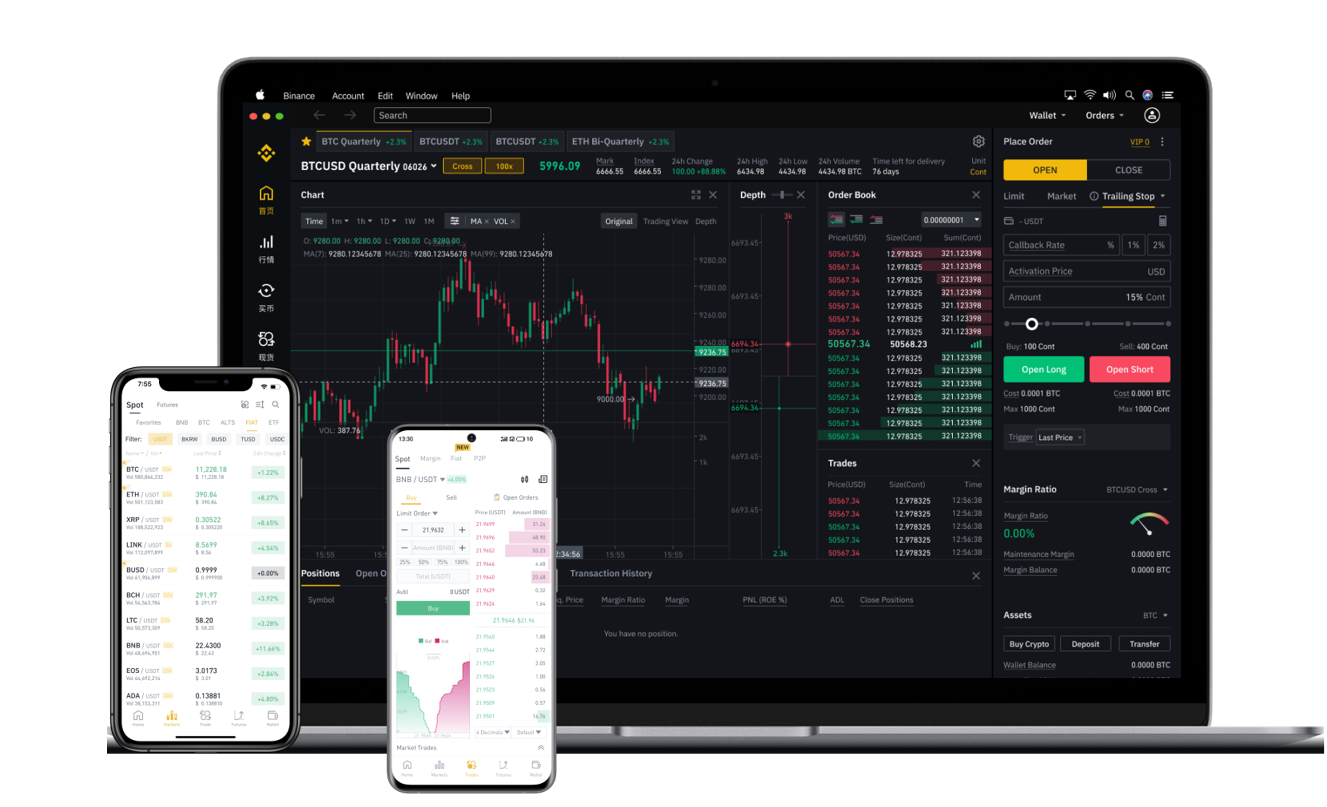
Once your funds are in, you can start trading. The "Spot" section is where most beginners start. You will see a trading interface with a price chart, order book, and buy/sell buttons. The simplest way to trade is using a "Market" order, which buys or sells at the current market price instantly. A "Limit" order lets you set a specific price, and the trade will only execute when that price is reached. For example, if Bitcoin is at $50,000 but you want to buy at $48,000, you set a limit order at that price.
Binance also offers advanced features like "Margin" trading, "Futures," and "Options." However, these are high-risk instruments and not recommended for beginners. Instead, many users explore Binance’s "Earn" section, where you can stake coins, provide liquidity, or use savings products to earn passive interest. Staking is particularly popular because it allows you to earn rewards on coins like ETH, SOL, or ADA just by holding them on the platform.
Another key feature is the Binance mobile app. The app mirrors the desktop experience and allows you to trade on the go. It includes a built-in QR scanner, price alerts, and Face ID login for convenience. For users outside of restrictive regions, Binance also offers the "P2P" marketplace, where you can buy and sell crypto directly with other users using local payment methods, often without fees.
Finally, when it comes to withdrawing funds, always test with a small amount first. Go to "Wallet" -> "Withdraw," enter the address and the amount, and confirm via your email and 2FA. Withdrawals can take a few minutes to several hours depending on network congestion. Remember that each blockchain network has its own fee, so choose the cheapest and fastest network available for your coin.
In summary, using Binance is straightforward once you understand the foundational steps. Focus on security, start with spot trading, and gradually explore earning features as you gain confidence. Whether you are a long-term investor or an active trader, Binance provides the liquidity and tools to manage your digital assets effectively. Always do your own research before trading any cryptocurrency.